 Together
What does a wedding photo sharing app do? It gives every guest one place to add the photos they took, so the couple ends up with a single album instead of chasing people for months. The good ones need no app or sign-up for guests, keep the album private, and let you download everything at the end. Together does all three, and adds face search and a full wedding planner.
Three ways photos get into your album
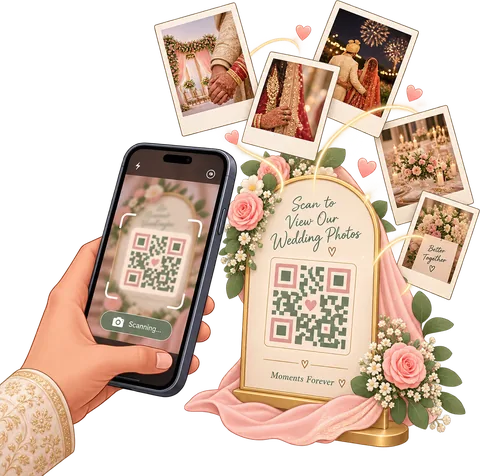
Guests: scan and send
A QR code on the tables or the RSVP link they already have. They type their name and add photos. No app.
Family: straight from the app
Everyone helping plan the wedding adds photos from their phone, with a caption and the event it belongs to.

Photographer: from a computer
Invite your photographer. They get a web portal to drag in each event’s photos, and they land in your album too.
Built for weddings that last more than a day
Most weddings are really a weekend: welcome drinks, the rehearsal dinner, the ceremony and reception, a farewell brunch. An Indian wedding can be five functions over four days. A generic shared album turns all of that into one long scroll of 2,000 photos. Together organizes photos by the events in your plan, so the rehearsal dinner photos sit with the rehearsal dinner and the reception with the reception.
- Tag by event. Guests pick the event as they upload, from the ones in your plan.
- Captions in a handwritten style, drawn onto the photo, for the little notes that make an album personal.
- Albums you share by group. Make an album for the wedding party, the college friends or just the parents, and choose who sees it.
- Private and surprise photos stay private. The gift table tally or the surprise speech rehearsal never reaches the wrong phone. We filter on our server, not just in the app.
Everyone finds the photos they’re in
The question every relative asks after the wedding: “Can you send me my photos?” With face sharing on, anyone who has joined your wedding in the app takes a selfie and sees every photo they appear in. The selfie stays on their phone. Face features are off for anyone under 18, and the couple can remove anyone from face grouping. Read how find-my-photos works.
Your photos stay yours
- Saved in your own Google Drive, in a folder the app makes, with a sub-folder for each guest. If you stop using Together, the photos are still there.
- You choose the photo size. Photos are resized on the phone before upload (2 MB by default) so uploads work on venue Wi-Fi; pick bigger if you have the Drive space.
- Download to your phone in one go. On Android the photos go straight into your gallery; on the web you get a zip.
- No ads, no selling your data. Face prints belong to one wedding and are never used for anything else.
Relive it on the big screen
Open the album as a slideshow, with a slow zoom and crossfade, and cast it to the TV at the reception or at the family get-together the week after. Pick the pace, sit back, and watch the whole wedding come back together.
How Together compares
| Together | Google Photos shared album | Group chat | |
|---|---|---|---|
| Guests need an app or account | No (QR or RSVP link) | Google account to add photos | Joining the chat |
| Organized by event | Yes | No | No |
| Find photos by face | Yes, with consent | Only in your own library | No |
| Know who sent what | Yes, folder per guest | Yes | Buried in the chat |
| Wedding planner included | Checklist, budget, guests, RSVPs | No | No |
Comparing dedicated apps? See the best wedding photo sharing apps, compared.
Questions
Is Together a free wedding photo sharing app?
Yes. The shared album, guest uploads, the photo QR code and the planner are free. The free plan holds up to 300 album photos in your own Google Drive.
Do guests have to install the app to share photos?
No. Guests add photos from a QR code or their RSVP link in the phone’s browser. Installing the app is only needed to see the shared album and find their photos by face.
Can our photographer upload to the same album?
Yes. Invite them as a photographer in the app. They get a web portal where they upload each event’s photos from a computer.
Who can see our wedding photos?
Only people in your wedding, and only what you share with their group. Guests who upload from a QR code or RSVP link see just the photos they added.
Can I download all the photos at the end?
Yes. They are already in your Google Drive, and you can save them from the app to your phone’s gallery in one go.
Is there an iPhone app?
The web app works on iPhone today: open it in Safari and add it to your home screen. Guests on iPhone can upload from the QR code without installing anything.
One album for the whole wedding
Set it up tonight, share it tomorrow. Free to start.
Start free