 Together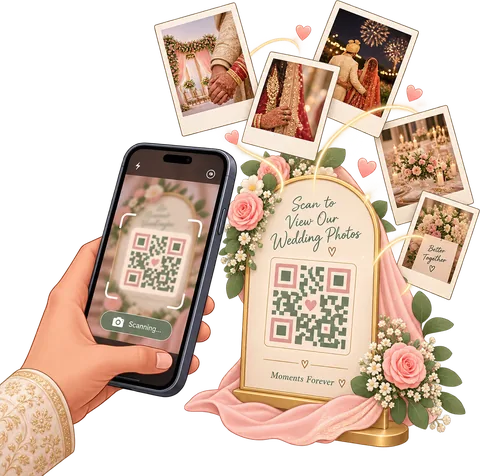
What is a wedding photo QR code? It’s a printed code that opens an upload page on a guest’s phone. With Together, the guest scans it with the normal camera app, types their name and picks photos from their gallery (or takes new ones). Every photo lands in the couple’s album, sorted by who sent it, and nobody needs to download anything.
How the Together photo QR code works
- Start your wedding in Together and open the Album. Connect your Google Drive so the photos have a home. The app makes one folder for them.
- Turn on “Guests can add photos”, then tap Make one next to “QR code for the tables”. Your code is ready straight away.
- Print the table card, or save it as an image to drop into your e-invite, welcome board or a Canva design. The card shows your names and a one-line instruction.
- Guests scan it and type their name. They can pick photos from the gallery or use the camera on the page, add a caption and tag the event it’s from, like the rehearsal dinner, ceremony or reception.
- Photos arrive in your album within seconds, and in your Google Drive in a folder named after each guest. Turn the code off after the wedding, or make a new one any time.
What your guests see
Most QR code photo sharing fails at one step: the guest is asked to install something or sign up, and they give up. Together asks for one thing, their name, so you know who took what. That’s it.
- No app, no sign-in, no password. It opens in the phone’s browser, on Android or iPhone.
- Only their own photos. A guest sees what they added and can remove it. Nobody browses your whole album from a table card.
- Up to 100 photos each, resized on the phone before upload so it works on patchy venue Wi-Fi.
- An easy way back later. The page invites them to join your wedding in the Together app to see the album you share and find the photos they’re in. You approve who joins.
Why couples pick Together for their QR code
Your photos, your Drive
Everything is saved in your own Google Drive, in a folder per guest, at the photo size you choose. Nothing is locked inside our app.

Find photos by face
Turn on face sharing and family in the app can take a selfie to see every photo they’re in. How it works.

Slideshow on the big screen
Play the album as a slideshow and cast it to a TV at the reception, so guests see their photos come in.
Part of the whole plan
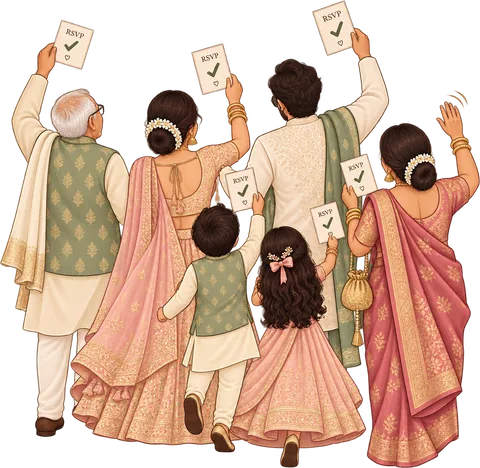
The same app runs your checklist, budget, guest list and RSVP links. Guests with an RSVP link can add photos from it too.
Where to put your wedding QR code
The rule is simple: put it where people are sitting with their phone in hand and nothing to do for a minute.
- Every dinner table, in a small stand or on the table number card. This is where most uploads happen.
- The welcome board and the bar, for guests who arrive early or wander.
- The photo booth and selfie wall, with “Add your booth photos here”.
- Every event, not just the big day. The welcome party, rehearsal dinner and farewell brunch have their own photos. Multi-day celebrations, like Indian weddings, even more so. Put the card out at each one.
- Your e-invite and thank-you message. Guests who forgot on the day can still send photos a week later.
Want the full walkthrough, including card wording and print size? Read how to make a QR code for wedding photos.
QR code vs hashtag vs WhatsApp group
| Photo QR code | Wedding hashtag | Group chat | |
|---|---|---|---|
| Guest effort | Scan, type name, pick photos | Post publicly on Instagram | Join the chat, send photos |
| Private | Yes, only you see the album | No, public posts | Everyone in the group sees all |
| Photo quality | Good-quality copies in your Drive, size you choose | Compressed, cropped | Usually compressed |
| Who took it | Sorted by guest name | Account names | Mixed into one chat |
| Older relatives | Just the phone camera | Need Instagram | Easy, but floods the chat |
Questions couples ask
Is the wedding photo QR code free?
Yes. Making the QR code, printing the card and collecting photos is free. The free plan holds up to 300 album photos, saved in your own Google Drive.
Do guests need to download an app?
No. The QR code opens a web page in the phone’s browser. Guests type their name and add photos. The app is only for people who want to see the full album later.
Where do the photos go?
Into your Together album and your own Google Drive, in a folder named after each guest, so you always know who took which photo.
Can guests see everyone else’s photos?
Not from the QR page. Each guest sees only the photos they added. Family and friends who join your wedding in the app see what you choose to share with them.
What if the QR code ends up on social media?
Turn it off in the Album with one tap and make a new one. The old printed code stops working straight away.
Can guests upload videos?
Not yet. The album is for photos. Guests can pick them from the gallery or take new ones on the page.
Does it work on iPhone?
Yes. The iPhone camera app reads QR codes, and the upload page works in Safari and Chrome.

Get every photo your guests take
Make your QR code in two minutes. Free to start.
Start free