 Together
How to collect wedding photos from guests: 7 ways that actually work
Your photographer will capture the pheras. Your guests will capture everything else: the dance-off at the reception, your grandma laughing, the late-night pizza. Those photos end up spread across hundreds of phones, and most are never sent. Here’s how to get them.
The short answer: put a photo QR code on every table that opens an upload page with no app or sign-up, add the same link to your invite, and send one reminder two or three days after the wedding. Name-only uploads and a reason to come back (seeing the full album) get the most photos.
1. A photo QR code on every table
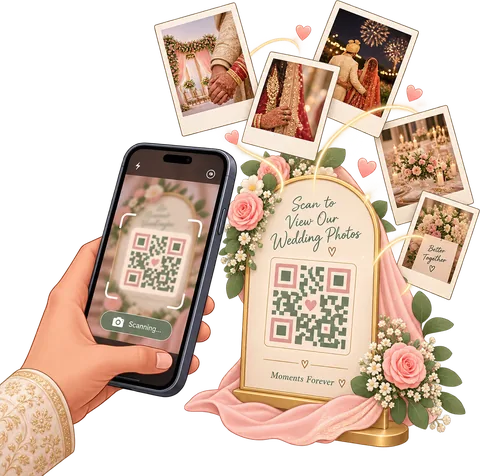
This is the method that gets the most photos, because it asks for the least. A guest sees a card, points their camera at it, and is on an upload page in two seconds. The best ones need nothing but a name.
- Where: dinner tables, the bar, the welcome board, the photo booth. Anywhere people sit with their phone out.
- What to check: no app download, no account, and the photos go somewhere you own (like your Google Drive).
- Tip for weekend or multi-day weddings: put the card out at every event, from the welcome drinks to the farewell brunch, and ask guests to tag which one.
Together’s wedding photo QR code works this way: guests type their name and add photos, and they land in your album in a folder per guest. Setting one up yourself? Read how to make a QR code for wedding photos.
2. Put the upload link in your invite and RSVP
Some guests will forget on the day. Give them a second chance: add “Share your photos here” with the link to your e-invite, your wedding website and your RSVP message. In Together, every guest’s RSVP link already lets them add photos once you open the album, so there’s nothing extra to send.
3. Use a shared wedding album app
A shared album keeps every photo in one place, instead of scattered across chats. Two things matter most: whether guests need an account, and whether you can see who sent what.
- Google Photos shared album: free and familiar, but guests need a Google account to add photos, and there’s no way to organize by event.
- A wedding photo sharing app: built for this. Look for no-app guest uploads, privacy controls and a way to download everything. Together’s album adds face search so every guest can find the photos they’re in.
4. Try a disposable camera app
Disposable camera apps give each guest a limited number of shots and reveal the photos later, like film. They’re fun, especially for younger crowds, and the limit makes people choose their shots. The trade-off: guests can’t share the photos already on their phone, and the shot limit means fewer photos overall. They work best alongside a QR upload, not instead of one.
5. Create a wedding hashtag
A hashtag like #PriyaWedsArjun is good for one thing: Instagram posts and stories. It is not a way to collect photos. Posts are public, compressed and cropped, many guests have private accounts, and the photos never reach you in full. Use a hashtag for fun, and a QR code for collecting.
6. A group chat (with rules)
There’s probably a wedding group chat already, on WhatsApp, iMessage or Messenger. It’s the fastest way to reach people, but a bad place to keep photos: images get compressed, they’re buried between “who has the car keys?” messages, and 400 photos in a chat is chaos. Use the chat to send the upload link, not to collect the photos themselves.
If you must collect in a chat, ask for full-size photos: on WhatsApp, send them “as document”; on an iPhone, share an iCloud link.
7. Ask your photographer to upload to the same album
Most photographers deliver through their own gallery, weeks later. Ask if they’ll also drop the edited selects into your shared album, so the professional and guest photos live together. In Together, you invite your photographer and they upload each event’s photos from a web portal.
How to make sure guests actually upload
The method matters less than the nudge. Couples who get the most photos do these five things:
- Make it name-only. Every extra step, like an app download or a password, loses guests. Especially the older ones.
- Announce it. Ask the DJ or MC to mention it once during dinner: “Scan the card on your table and send us your photos.”
- Give them a reason. “Add yours and see everyone’s” works better than “please share”. Face search (“find every photo you’re in”) is an even better one.
- Make someone the photo captain. A bridesmaid or cousin who reminds each table and helps anyone stuck.
- Send one reminder, 2 to 3 days later. People are home, charging their phones and scrolling through the photos. Send the link with your thank-you message.
The methods at a glance
| Method | Guest effort | Private | Photo quality | Best for |
|---|---|---|---|---|
| Photo QR code | Very low | Yes | Good | Collecting the most photos |
| Link in invite/RSVP | Low | Yes | Good | Guests who forgot on the day |
| Shared album app | Low to medium | Yes | Good | Keeping everything in one place |
| Disposable camera app | Medium | Yes | Phone camera | Fun, limited shots |
| Hashtag | Low | No | Compressed | Instagram buzz |
| Group chat | Low | Partly | Compressed | Sending the link |
Frequently asked questions
What is the easiest way to get photos from wedding guests?
A QR code on each table that opens an upload page with no app or sign-up. Guests scan it with their normal camera, type their name and pick photos.
How long after the wedding should I ask guests for photos?
Ask on the day, then send one reminder two to three days later with the upload link. The sooner the better: after a couple of weeks, photos get buried under everything else on the phone.
Is a Google Photos shared album good enough?
It’s free and works, but guests need a Google account to add photos, there’s no organizing by event, and no way for each guest to find their own photos by face. For a big wedding a dedicated app is easier.
How do I get guest photos in full quality?
Use an upload page or app instead of WhatsApp or Instagram, which compress photos. Together saves photos to your Google Drive at the size you choose.
What should the photo sign at the wedding say?
Keep it short: “Share your photos with us! Scan with your phone camera. No app needed.” Add your names, and the event if you have several.
How do guests get the photos afterwards?
Share the album with them. In Together, guests who join your wedding in the app see the albums you share and can find the photos they’re in with a selfie.
Get your photo QR code
Name-only uploads, straight to your Google Drive. Free to start.
Start free